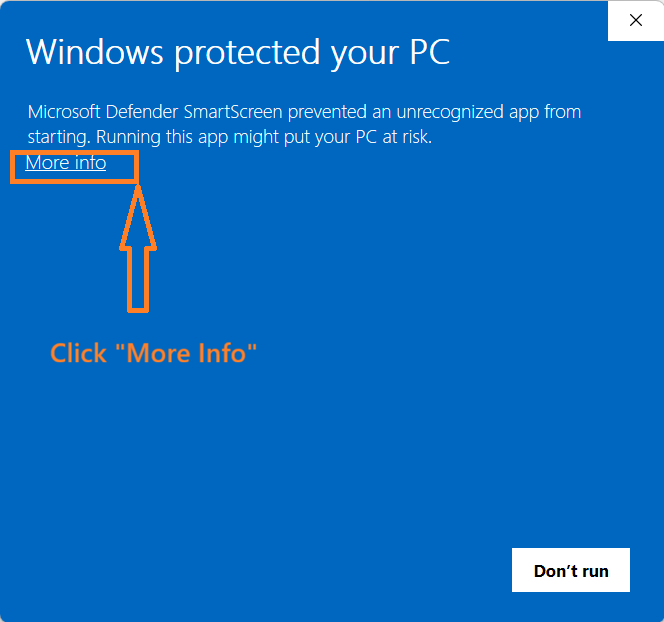
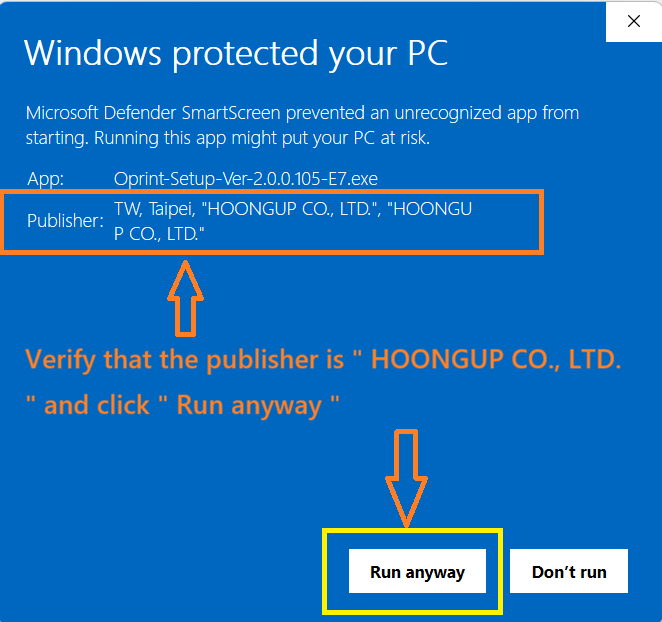

Download and install O'Print on Windows computer to share your printers to iPhone and iPad printing.
Download
Compatible with Windows 10, 11 (64-bit) | v1.0.5
Can't download? mail to us

Notice
- The O'Print program file is digitally signed by Comodo CA Ltd. (now Sectigo Ltd.). If you do not see the digital signature when installing O'Print, please stop the installation and notify us.
- O'Print requires the following components to function properly. If you do not agree with the installation of these components, please do not install O'Print:
- Installation of the Bonjour service developed by Apple Inc. (Learn more)
- Permission for O'Print to communicate through the Windows Firewall (More info)
- O'Print automatically connects to our server to retrieve version updates, verify registration, and gather operating system information. This data helps us improve our products and services.
- Uninstalling O'Print will not remove the Bonjour service automatically. You will need to uninstall it manually. (Uninstall help)
- Review our End-User License Agreement
If you have any questions, please contact us.